![[Apple] A12 / A13 Boot Diagnostics & Factory Erase](/media/noticias/2026/07/252.jpg)
🔥 [Apple] A12 / A13 Boot Diagnostics & Factory Erase
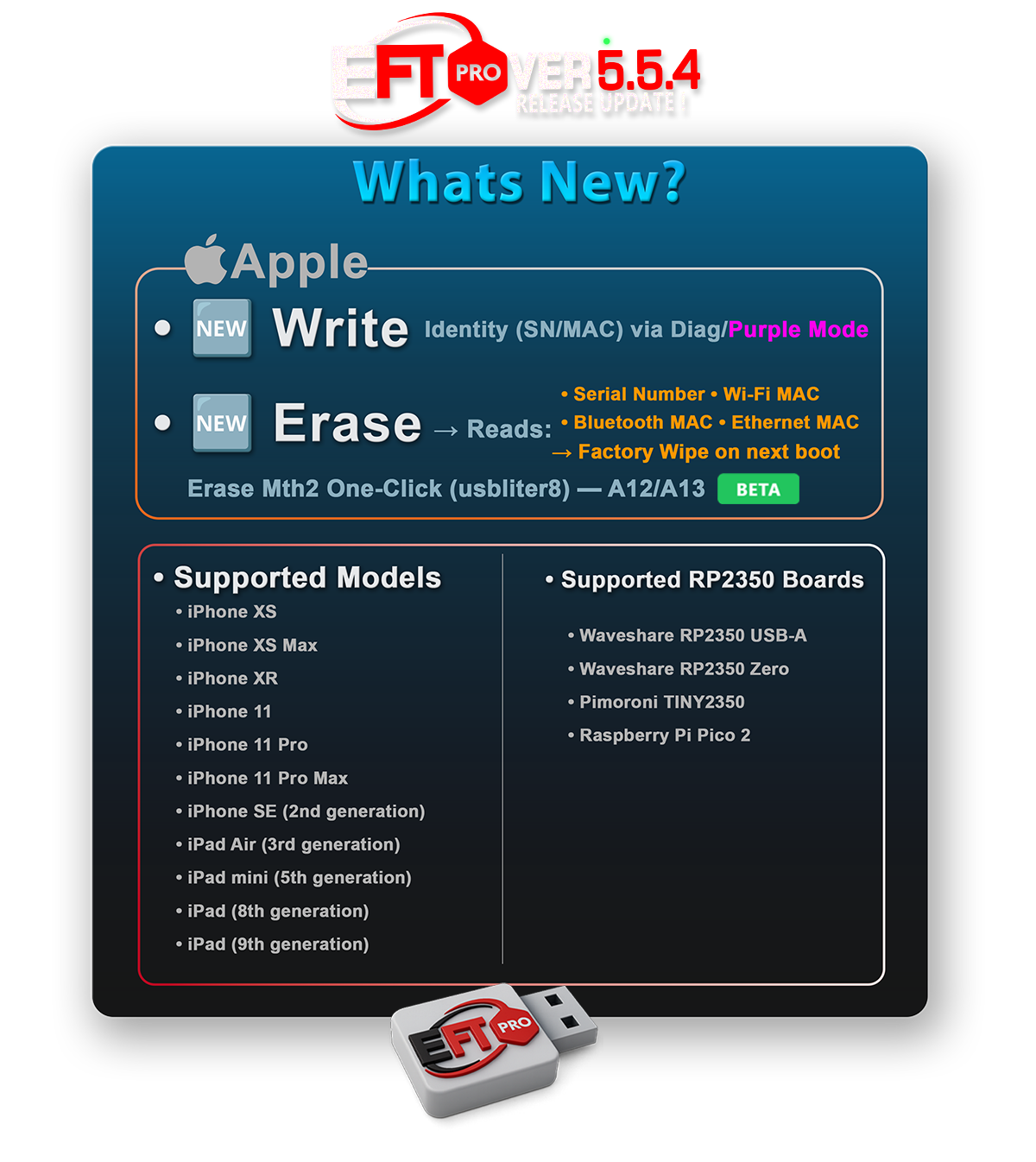
‣ Erase BETA
Mth2 One-Click (usbliter8) A12/A13 B
‣ Boot Diag BETA
Boot the device into Apple Factory Diagnostics Mode.
‣ Erase BETA
Read Serial Number, Wi-Fi MAC, Bluetooth MAC, and Ethernet MAC, then trigger a Factory-Level Wipe on the next boot.
✅ Supported Models
iPhone XS
iPhone XS Max
iPhone XR
iPhone 11
iPhone 11 Pro
iPhone 11 Pro Max
iPhone SE (2nd generation)
iPad Air (3rd generation)
iPad mini (5th generation)
iPad (8th generation)
iPad (9th generation)
✅ Requirements
Boot Diag and Erase require a compatible RP2350-based Hardware Pwner running usbliter8 firmware.
You can use the new Prepare usbliter8 Board operation to automatically detect and flash supported RP2350 boards with the required firmware.
Before running Boot Diag or Erase, the target iPhone or iPad must first be successfully placed into Pwned DFU Mode using the usbliter8 Hardware Pwner.
✅ Supported RP2350 Boards
Waveshare RP2350 USB-A
Waveshare RP2350 Zero
Pimoroni TINY2350
Fuente oficial
Licencia : EFT Pro